


Senior onlineFUCCO Foundation
Polski

Digital skills for adults aged 60+

Senior online

Safely, confidently and actively

Learn to spot scams, use artificial intelligence and handle everyday tasks online. Read the tips on this page or download FUCCO Foundation workshop materials.

Browse the guides
Participants learning together at a laptop. Illustrative photograph.
Active Seniors (ASY) programme logo

Co-funded by the Polish state budget through the Mazovian Voivode.

Active Seniors (ASY) programme · Priority II. Education for older people · 2026 edition

Zadanie współfinansowane ze środków budżetu państwa otrzymanych od Wojewody Mazowieckiego. Program „Aktywni Seniorzy – ASY” · Priorytet II. Edukacja osób starszych · Edycja 2026

About the project

Senior online is a FUCCO Foundation project for residents of the Mazovian region aged 60 and over. Workshops in Reguły, Sochaczew and Gostynin help participants use a phone, tablet or computer independently.

Participants practise on their own devices with support from instructors. They learn to write AI prompts, recognise suspicious messages and find the right public services. The materials can also be used after the workshops.

Guides and practice

Read the tips on this page or download one-page handouts to print. Each includes a short exercise to try on your own.

Artificial intelligence

Everyday artificial intelligence

Use AI to draft a message, organise a shopping list or plan an outing. Check the answers and protect your personal information.

Show tips and practice
  • How to startState your goal, audience and preferred format. For example, ask for a short invitation to a seniors’ club meeting in plain language, with placeholders for the date and address.
  • How to improve the answerAsk for one change at a time. For example, shorten the text to three sentences or replace difficult words with simpler ones.
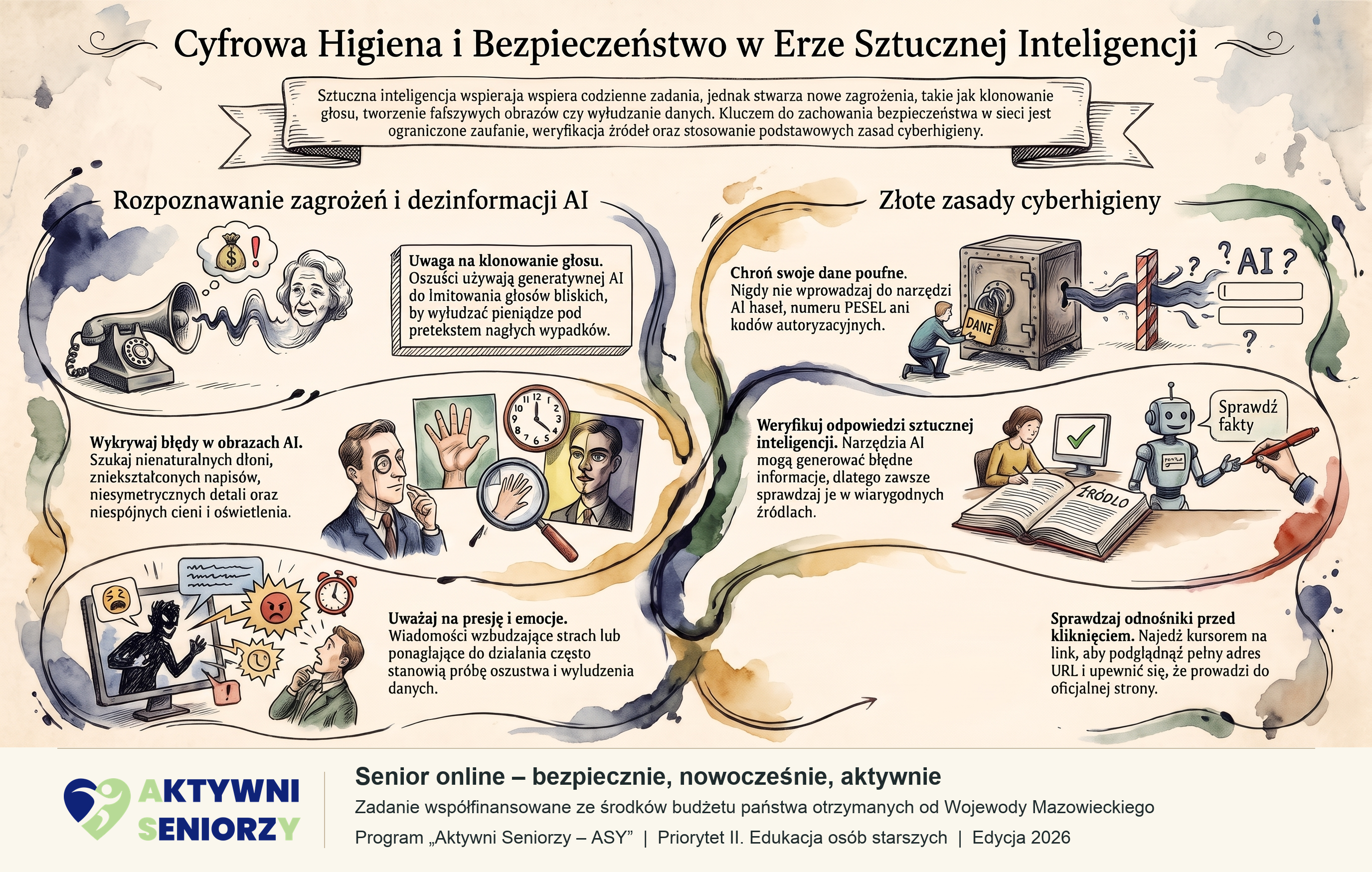
  • What to checkCheck dates, times, prices and addresses with the organiser or an official source. AI can give outdated or invented information.
  • How to protect your dataUse fictional information for practice. Keep passwords, national ID numbers, banking codes and medical results out of AI tools.
  • PracticeAsk for a packing list for a day trip. Add that you are travelling by train. Review the list and cross out anything you do not need.
Online safety

Scam messages, calls and online shopping

A sudden request for a transfer, a BLIK code or an extra payment is a reason to verify the message through another channel.

Show tips and practice
  • PauseAvoid links in suspicious messages. Open your bank, shop or delivery app yourself and check whether it shows a payment request.
  • Call a number you already knowIf the caller sounds like a relative and asks for money, hang up and call the number already saved in your contacts. AI can imitate a familiar voice.
  • Check the shop and paymentLook up the seller’s details and return terms. Check the recipient and amount in the banking app before confirming a transaction.
  • Act after a scamIf you paid or exposed banking information, contact your bank through an official channel. Keep the messages and report the suspicious site or message to CERT Polska.
  • PracticeA message says: ‘Your parcel is waiting. Pay PLN 1.49.’ Explain how you would check the parcel status without using the link.

Official websites

Public services

Public and health services online

Choose the official service that handles your task. Use your own device and sign in through a verified address.

Show tips and practice
  • Trusted ProfilePoland’s Trusted Profile helps you verify your identity and sign documents in public services. Read the official guidance on gov.pl before setting it up.
  • mObywatelThe app provides digital documents and selected services. Use the download links on the official mObywatel page.
  • Online Patient AccountUse IKP to check electronic prescriptions and referrals. Go to pacjent.gov.pl and open the sign-in page from there.
  • e-Tax OfficeThe service handles tax matters online. Start at podatki.gov.pl and choose the service for your task.
  • Practice without signing inBookmark the official address of a service you need. Find the sign-in button and the help section. Keep passwords and codes private during group practice.

Official websites

Practice sheet

Online safety practice sheet

Use this sheet after the workshop. Answer in your own words, then compare your answer with the tip.

Show tips and practice
  • An urgent request for a BLIK codeQuestion. A friend messages you asking for a code. How do you verify it? Tip: call the number you already know.
  • An important AI answerQuestion. AI gives you a ticket price. Where would you confirm it? Tip: check the official operator or organiser website.
  • Signing in to your bankQuestion. A text from your bank asks you to sign in using a link. What do you do? Tip: open the bank’s app yourself.
  • Electronic prescriptionQuestion. Where can you find an electronic prescription? Tip: start at pacjent.gov.pl and use your Online Patient Account.
  • One habit to practiseChoose one habit to practise. Write it down, for example: ‘I check the recipient and amount before confirming a transfer.’

Video, podcasts and visual resources

The original workshop materials below are in Polish. Text versions of the presentation and infographic are available for reading in a browser or with a screen reader.

Host Senior online workshops

If you represent a seniors’ club, a University of the Third Age, a library or another organisation in Mazovia, tell us where you would like to hold workshops and who would take part.

Places for host organisations are limited.

Host a workshop